
Python: Difference between revisions
No edit summary |
|||
| (9 intermediate revisions by 2 users not shown) | |||
| Line 14: | Line 14: | ||
== Learning Python == | == Learning Python == | ||
* [ | * [https://greenteapress.com/wp/think-python-2e/ Think Python] | ||
Has been used in the course as a textbook | Has been used in the course as a textbook | ||
* http:// | * http://www.diveintopython3.net/ | ||
Another good, free, resource, by Mark Pilgrim | |||
Another good, free, resource, by Mark Pilgrim | |||
* http://www.oreillynet.com/pub/a/womenintech/2007/09/11/charming-pythonistas.html | * http://www.oreillynet.com/pub/a/womenintech/2007/09/11/charming-pythonistas.html | ||
Interesting discussion about the merits of Python as a learning language, and the "gender gap" in programming | |||
* A Python [http://www.addedbytes.com/download/python-cheat-sheet-v1/pdf/ "Cheat Sheet"] -- hmmm, might it not be a good project to be able to generate your own "cheat sheets"? | * A Python [http://www.addedbytes.com/download/python-cheat-sheet-v1/pdf/ "Cheat Sheet"] -- hmmm, might it not be a good project to be able to generate your own "cheat sheets"? | ||
* [http://hetland.org/writing/instant-hacking.html Instant Hacking] (dated! uses python 2 syntax) | |||
A nice quick intro to programming with Python as the specific language. | |||
* https://www.khanacademy.org/computing/intro-to-python-fundamentals | |||
== Useful Add-ons (Libraries) == | == Useful Add-ons (Libraries) == | ||
| Line 42: | Line 47: | ||
== Visualisations of python code == | == Visualisations of python code == | ||
* https://vpyast.appspot.com/ [https://github.com/ivan111/vpyast code] | * Syntax: Showing a parse tree: https://vpyast.appspot.com/ [https://github.com/ivan111/vpyast code] | ||
* https://cscircles.cemc.uwaterloo.ca/visualize#mode=display | * [http://www.pythontutor.com/visualize.html#mode=display Execution frames] also [https://cscircles.cemc.uwaterloo.ca/visualize#mode=display same thing?] | ||
==Saving Python code in the wiki== | |||
You can insert Python code in a wiki page with syntax highlighting in this way: | |||
<nowiki><syntaxhighlight lang="python"></syntaxhighlight></nowiki> | |||
So for example: | |||
<nowiki><syntaxhighlight lang="python"> | |||
print("Enter your name:") | |||
x = input() # waiting for input | |||
print("Hello, " + x) | |||
</syntaxhighlight></nowiki> | |||
renders as: | |||
<syntaxhighlight lang="python"> | |||
print("Enter your name:") | |||
x = input() # waiting for input | |||
print("Hello, " + x) | |||
</syntaxhighlight> | |||
==See also== | |||
* [[:Category:Python|Python related pages on this wiki]] | |||
[[Category:Python]] | |||
Latest revision as of 13:50, 10 November 2025
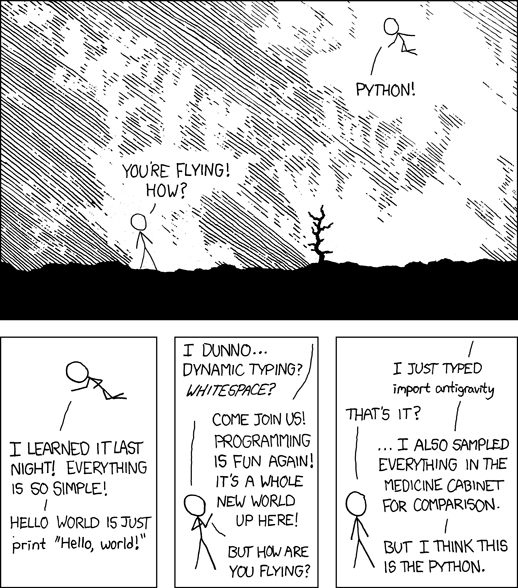
Python is a scripting language written by Guido van Rossom.
The name actually refers to Monty Python, the charmingly irreverent and absurdist comedy troupe, as opposed to venomous snake.
General
- Charming Pythonistas, an article about why Python makes a good learning language, and in particular considers the underrepresentation of female programmers
Learning Python
Has been used in the course as a textbook
Another good, free, resource, by Mark Pilgrim
Interesting discussion about the merits of Python as a learning language, and the "gender gap" in programming
- A Python "Cheat Sheet" -- hmmm, might it not be a good project to be able to generate your own "cheat sheets"?
- Instant Hacking (dated! uses python 2 syntax)
A nice quick intro to programming with Python as the specific language.
Useful Add-ons (Libraries)
- PythonImageLibrary (PIL)
- feedparser
Applications that use/support Python plugins/extensions
- GIMP has GIMP-python to allow python plugins
- Inkscape can use any language scripts, including Python, as filters (or "effects")
- Blender has an embedded Python interpreter
- Dia via a python plugin
- Scribus has a scripting API that uses Python
Visualisations of python code
- Syntax: Showing a parse tree: https://vpyast.appspot.com/ code
- Execution frames also same thing?
Saving Python code in the wiki
You can insert Python code in a wiki page with syntax highlighting in this way:
<syntaxhighlight lang="python"></syntaxhighlight>
So for example:
<syntaxhighlight lang="python">
 print("Enter your name:")
 x = input() # waiting for input
 print("Hello, " + x)
 </syntaxhighlight>
renders as:
print("Enter your name:")
x = input() # waiting for input
print("Hello, " + x)